
If your emails are landing in spam or getting fewer opens than expected, your first thought might be to switch email providers.
In reality, your email platform is often not the problem.
Poor email deliverability is usually caused by issues like an unhealthy email list, a damaged sender reputation, missing email authentication, or poor sending practices. Fixing these problems can dramatically improve your inbox placement—without migrating to a new provider.
Improve Deliverability with ZeroBounce
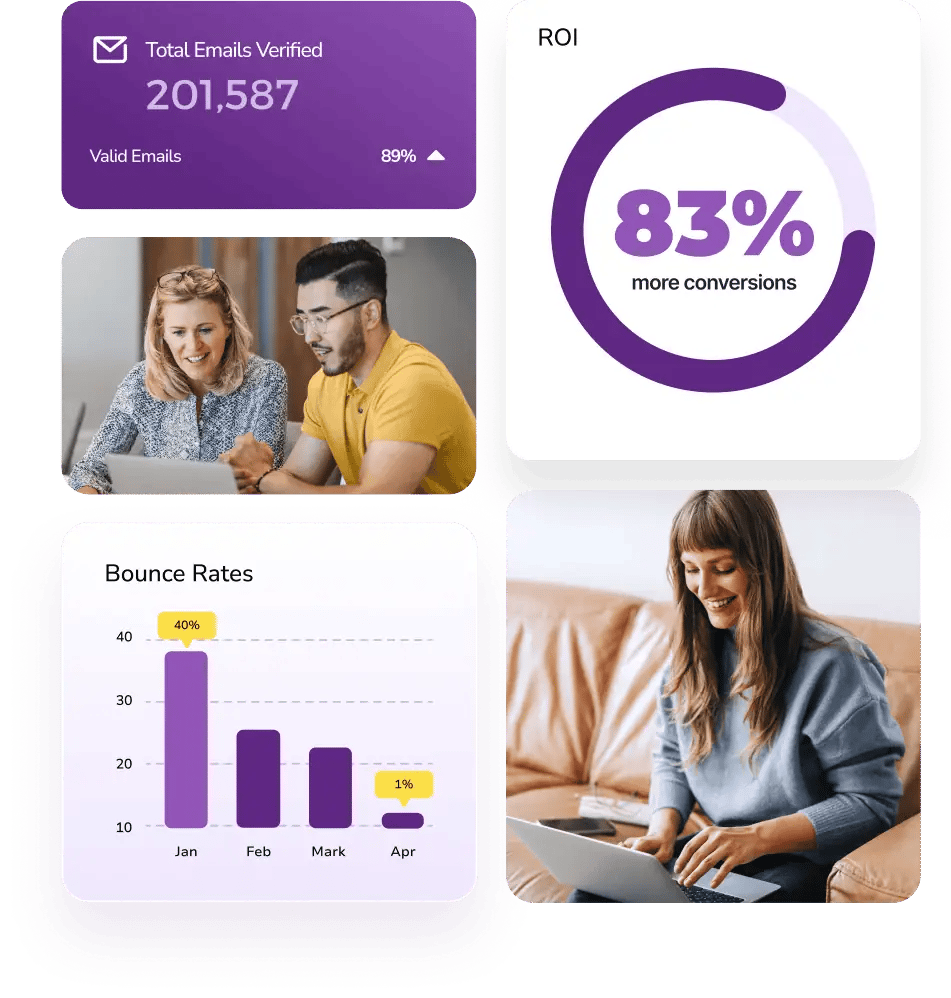
Before investing time and money in a new email service, verify your email list with ZeroBounce. It helps identify invalid, disposable, abuse, spam trap, and other risky email addresses that can hurt your sender reputation.
Use coupon code HAFSA10 to get 10% off paid plans.
Why Email Deliverability Drops
Email providers like Gmail, Outlook, Yahoo, and Apple Mail evaluate every email before deciding whether it belongs in the inbox, promotions tab, or spam folder.
They look at factors such as:
- Sender reputation
- Bounce rate
- Spam complaints
- Recipient engagement
- Email authentication
- List quality
Changing providers won’t solve these underlying issues.
1. Start with a Clean Email List
One of the biggest reasons emails fail to reach the inbox is sending messages to invalid or risky email addresses.
Over time, every email list naturally becomes outdated as people:
- Change jobs
- Delete old inboxes
- Switch email providers
- Use temporary email addresses
A clean list means fewer hard bounces and stronger deliverability.
2. Verify Email Addresses Before Sending
Instead of waiting for bounce reports after your campaign, verify your email list first.
Email verification helps detect:
- Invalid email addresses
- Disposable emails
- Abuse accounts
- Spam traps
- Catch-all domainsTemporary email addresses
Removing these contacts before sending helps protect your sender reputation.
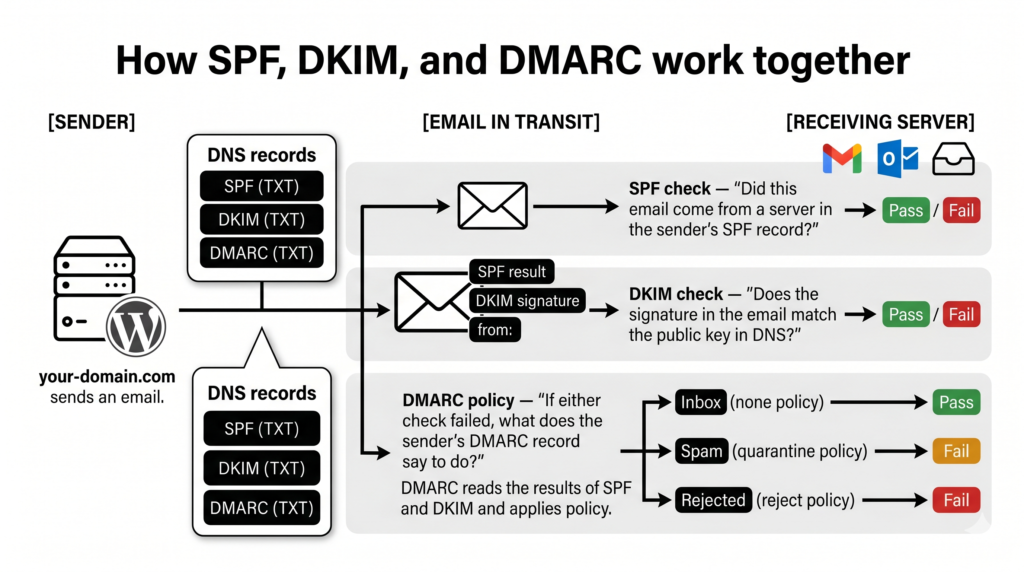
3. Set Up SPF, DKIM, and DMARC
Authentication tells mailbox providers that your emails are genuinely coming from your domain.
Three important authentication methods are:
- SPF (Sender Policy Framework)
- DKIM (DomainKeys Identified Mail)
- DMARC (Domain-based Message Authentication, Reporting, and Conformance)
Without these records, even legitimate emails may struggle to reach the inbox.
4. Remove Inactive Subscribers Carefully
Low engagement can negatively affect deliverability.
However, don’t immediately delete everyone who hasn’t opened your emails.
Instead:
- Create a re-engagement campaign.
- Ask subscribers if they still want to hear from you.
- Remove contacts only after repeated inactivity.
This protects valuable subscribers while improving overall engagement.
5. Avoid Purchased Email Lists
Buying email lists may seem like a quick way to grow your audience, but it often leads to:
Instead:
- Create a re-engagement campaign.
- Ask subscribers if they still want to hear from you.
- Remove contacts only after repeated inactivity.
This protects valuable subscribers while improving overall engagement.
5. Avoid Purchased Email Lists
Buying email lists may seem like a quick way to grow your audience, but it often leads to:
- Higher bounce rates
- Spam complaints
- Poor engagement
- Damaged sender reputation
Building an organic, permission-based list is far more effective for long-term deliverability.
6. Monitor Your Sender Reputation
Your sender reputation is like a trust score.
Mailbox providers build this score based on how responsibly you send emails.
Poor practices such as:
- Sending to invalid addresses
- Receiving spam complaints
- Ignoring bounce reports
can gradually reduce your reputation and make inbox placement more difficult.
7. Write Emails People Want to Open
Content still matters.
Even with a healthy email list, poor engagement can affect deliverability.
Improve engagement by:
- Writing clear subject lines.
- Delivering valuable content.
- Personalizing emails where appropriate.
- Avoiding excessive promotional language.
- Sending at a consistent frequency.
When subscribers regularly open and interact with your emails, mailbox providers are more likely to trust future campaigns.
Common Deliverability Mistakes
Avoid these common problems:
❌ Sending to unverified email lists.
❌ Ignoring hard bounce reports.
❌ Missing SPF, DKIM, or DMARC records.
❌ Purchasing email databases.
❌ Sending too many emails in a short period.
❌ Never cleaning your mailing list.
How ZeroBounce Helps Improve Deliverability
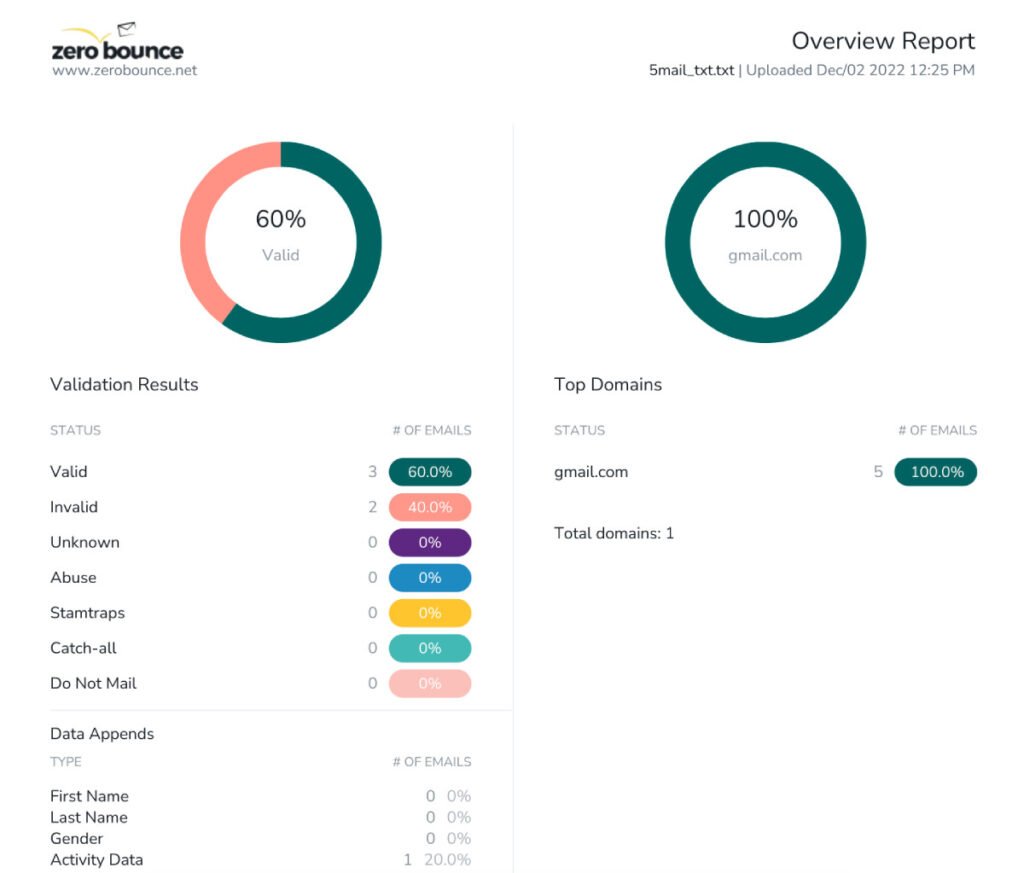
ZeroBounce focuses on one of the most important parts of email deliverability: list quality.
Before you send your campaign, it helps identify:
- Invalid email addresses
- Disposable emails
- Abuse accounts
- Spam traps
- Catch-all domains
- Other risky contacts
By removing these addresses, you reduce hard bounces, strengthen your sender reputation, and improve your chances of landing in subscribers’ inboxes.
Email Deliverability Checklist
Before launching your next campaign, make sure you’ve:
✅ Verified your email list.
✅ Removed invalid email addresses.
✅ Configured SPF, DKIM, and DMARC.
✅ Cleaned inactive subscribers.
✅ Avoided purchased email lists.
✅ Monitored your sender reputation.
✅ Tested your email campaign.
Frequently Asked Questions
Do I need to switch email providers to improve deliverability?
Not usually. In many cases, improving list quality, sender reputation, and email authentication has a much greater impact than changing providers.
Can email verification improve inbox placement?
Email verification helps reduce hard bounces and remove risky addresses, both of which contribute to better sender reputation and improved deliverability. However, inbox placement also depends on authentication, engagement, and other factors.
How often should I verify my email list?
Verify new subscribers when they join your list and recheck your entire database before major campaigns or every few months.
Will a clean email list increase open rates?
While no tool can guarantee higher open rates, sending to valid and engaged recipients gives your emails a better chance of reaching the inbox, where they can actually be opened.
Final Thoughts
If your emails aren’t reaching the inbox, don’t assume you need a new email provider.
More often than not, the solution is improving your email list, protecting your sender reputation, and following good email practices. These changes can have a far greater impact than switching platforms.
Before your next campaign, verify your email list and fix the issues that truly affect deliverability.
Coupon Code: HAFSA10 — Get 10% off paid plans.
Pingback: Why High Email Bounce Rates Hurt Your Business (And How to Recover) - insightsVaultHQ
Pingback: How to Remove Spam Traps from Your Email List Before They Damage Your Reputation - InsightsVaultHQ
Pingback: Email List Hygiene Checklist: 10 Steps to Better Deliverability - InsightsVaultHQ
Pingback: How to Protect Your Sender Reputation and Keep Landing in the Inbox - InsightsVaultHQ